Summary
This month we delivered a wide range of improvements across BuilderPlan, with a focus on connecting cost estimation to project scheduling.
The new Excel costing spreadsheet import instantly turns cost estimates into project schedules. We also added cost visibility within the Gantt chart and completed foundational work for team management and licensing.
Other enhancements include improvements to search functionality, automatic Whiteboard layout and importing from P6.
Excel Costing Spreadsheet Import (New)
This month we introduced the ability to import an Excel cost estimation spreadsheet directly into BuilderPlan.
BuilderPlan now reads an Excel costing template and instantly converts the costing data into a full project schedule with a ready-to-share Gantt chart.
How it works
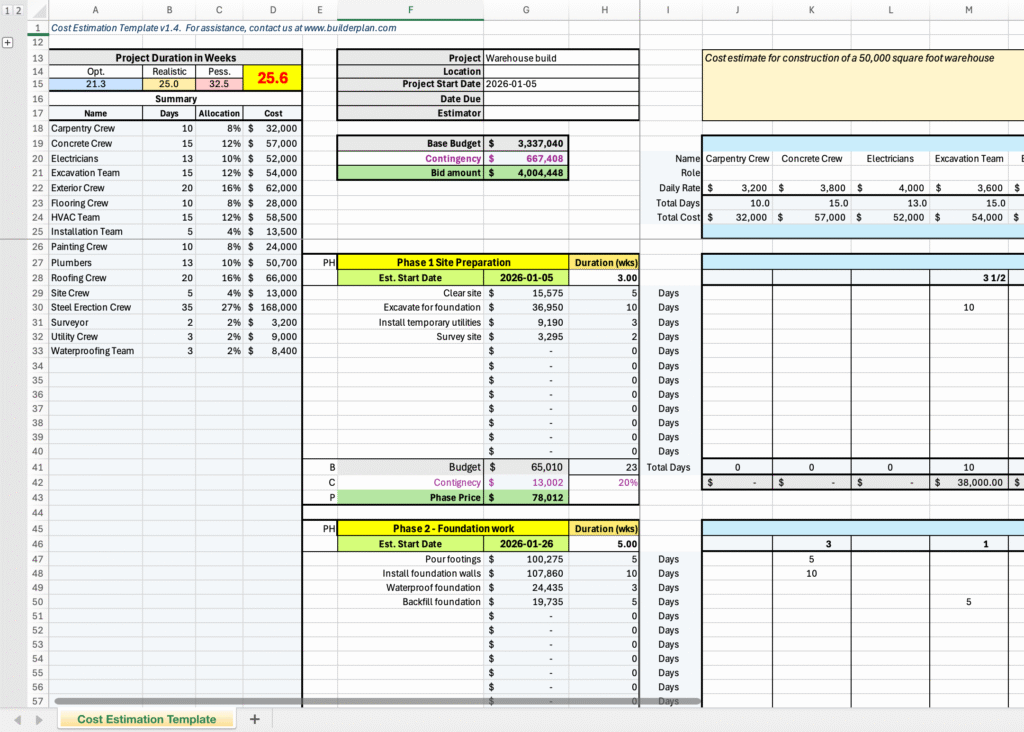
Estimators complete a cost spreadsheet in Excel, entering:
Resource costs such as labour crews, subcontractors, equipment operators and so on
Material and equipment unit costs
Travel, overhead and any other cost categories
Tasks organized by phases
Tasks can be one-time or repeat automatically any number of times within a phase, which is ideal for weekly or recurring activities
For each task:
assign hours or days per resource
assign material and equipment quantities
Add contingency
Excel calculates total costs itemized by phase, task, resource, material, equipment and more
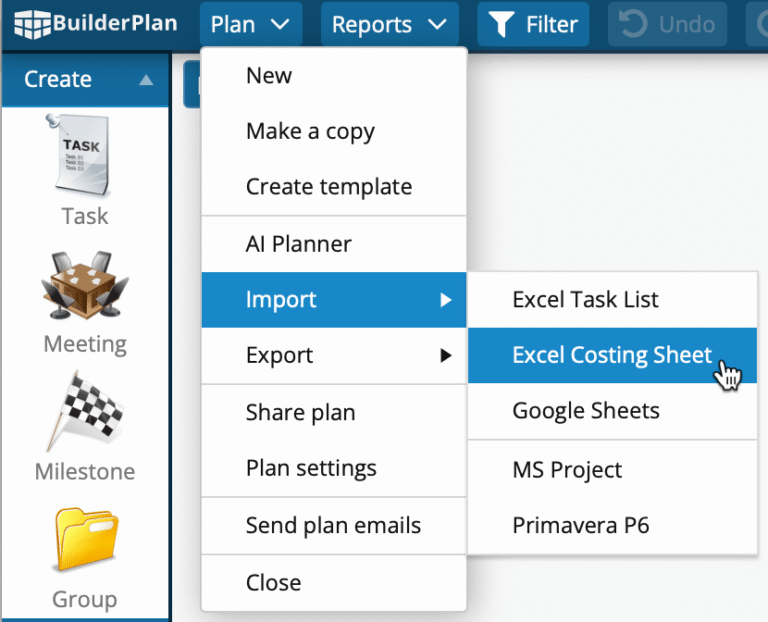
One-button import
With a single click, BuilderPlan:
-
Reads the costing spreadsheet
-
Creates a complete project schedule honouring all data from the spreadsheet
The Gantt chart showing the project schedule is immediately ready to share.
This creates a seamless workflow from estimation to schedule, all starting from a familiar Excel template.
Get the Excel costing spreadsheet
Please contact us for a copy of our Excel costing template or to discuss a direct import from your current costing spreadsheet into BuilderPlan.
Team Management and Licensing System
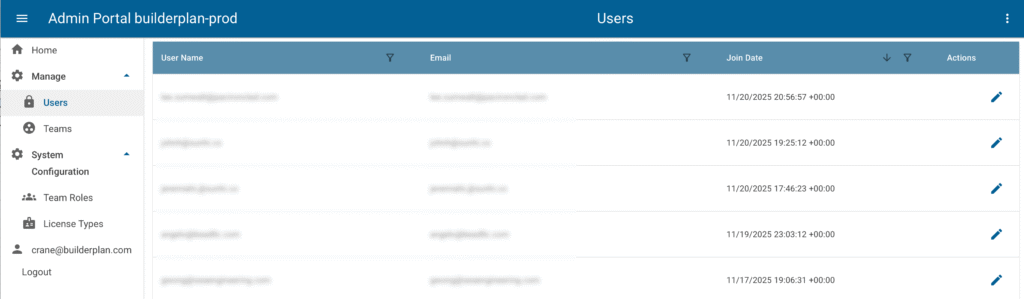
This month we completed a significant under-the-hood upgrade to BuilderPlan: a new team management and licensing system designed to support organizations with multiple users.
Although this system is not yet exposed for self-serve team licensing, it is fully functional behind the scenes and already makes license administration much easier for companies using BuilderPlan across multiple teams.
What this prepares us for
Centralized management of users, teams and license types
Cleaner handling of multi-user subscriptions
A foundation for offering self-serve team licensing directly within BuilderPlan
Better scalability as larger organizations adopt the platform
For now, we continue to manage team licenses manually, but the new system is in place and will allow us to introduce a full self-serve experience soon.
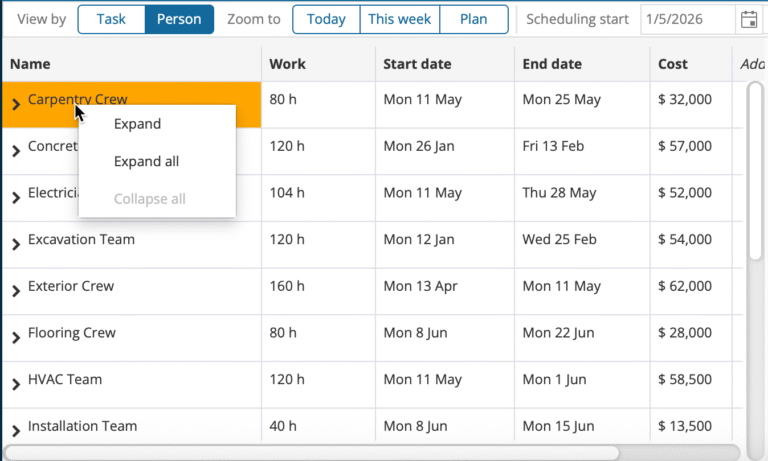
Show Costs in the Gantt Chart
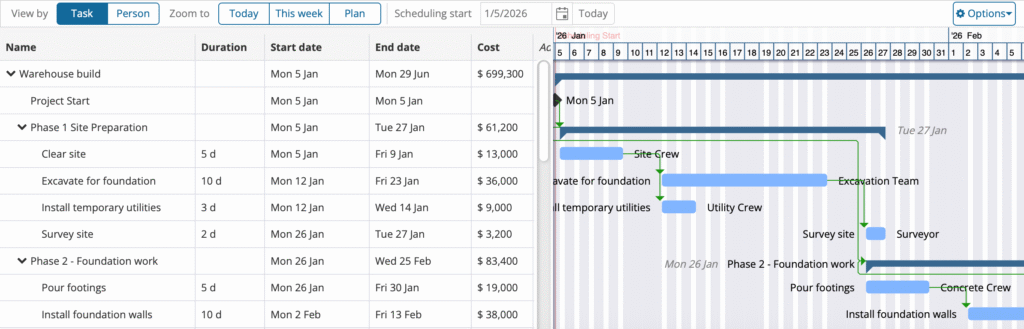
BuilderPlan now supports displaying task costs directly in the Gantt chart.
What this adds
A new Cost column in the Gantt chart
Instant visibility of costs by task and by phase
A clearer connection between scheduling decisions and budget impact
A smoother workflow for teams that need to validate both cost and schedule at the same time
This enhancement works seamlessly with the new Excel costing spreadsheet import, providing a combined view of both project cost and schedule.
Additional Enhancements
Along with the major features developed this month, we also made many improvements that enhance overall usability:
Activity ID imported from Primavera P6 into a new Task ID field
Improved search and navigation when tasks are inside collapsed groups
Better automatic Whiteboard layout when tasks are hidden
Improved scheduling for start-start links where predecessor is a group
Expand and collapse all groups now enabled when the Gantt chart is grouped by resource
Copying a project to a new plan now copies all resource properties